ScreenFwd
Your screenshots. Your storage. Zero cost.
Instant screenshot links from your menubar. Upload to YOUR S3 storage, get shareable gofwd.to links in one click.
Free forever. No subscription required.
Stop paying for screenshot hosting
See how much you can save by using your own S3-compatible storage instead of expensive subscriptions.
| Service | Monthly | Annual | 50GB Storage |
|---|---|---|---|
| CleanShot Cloud Pro | $8/mo | $96/year | Included |
| Droplr Pro Plus | $6/mo | $72/year | Included |
| Zight Pro | $8/mo | $96/year | Included |
| ScreenFwd + Backblaze B2 | FREE | $0 | ~$3/year |
| ScreenFwd + Cloudflare R2 | FREE | $0 | ~$7/year |
You own your data
We never store your files. Everything goes directly to your storage bucket.
How it works
Connect Your Storage
Add your S3/Backblaze/R2 credentials once in Settings
Take Screenshots
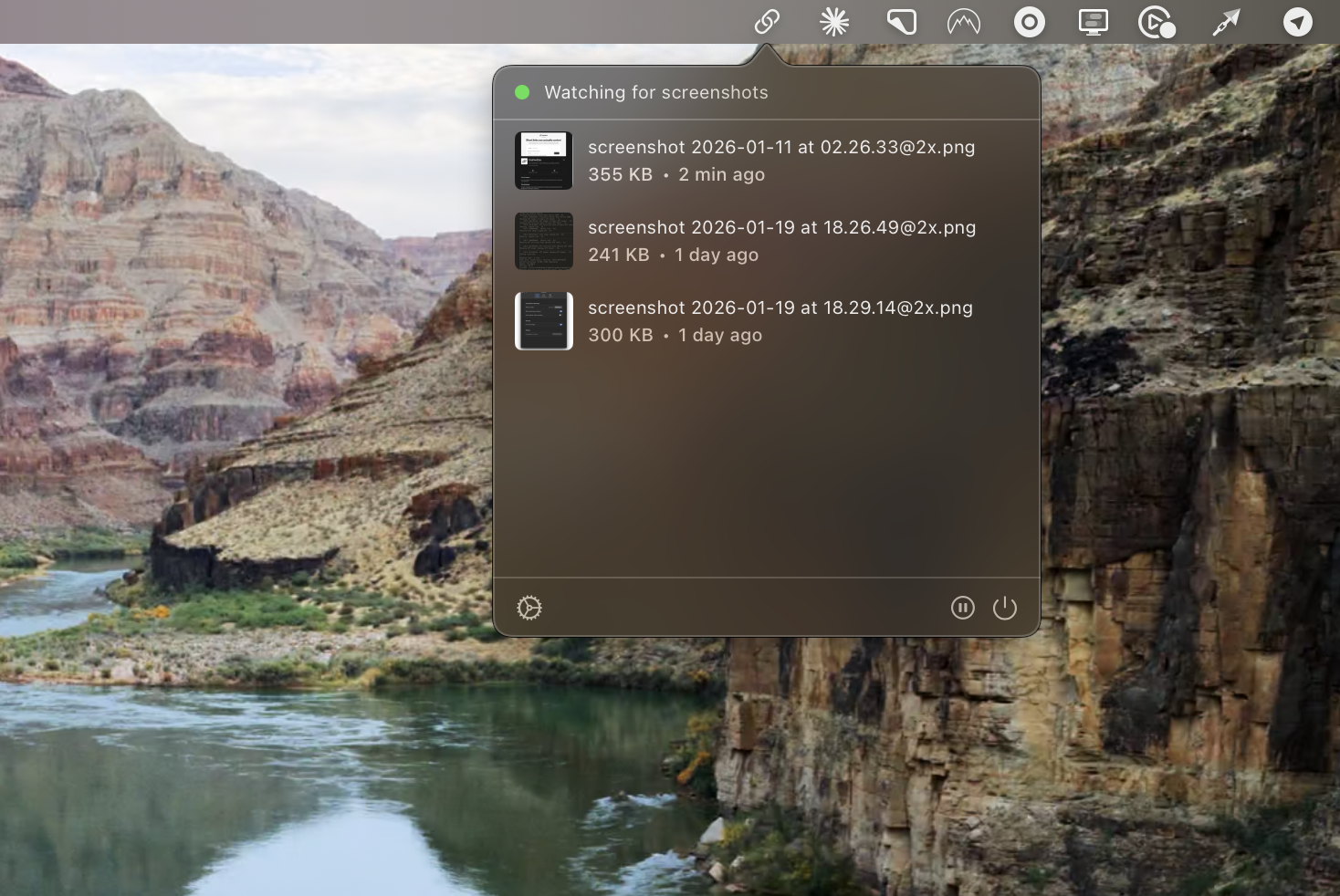
Use native macOS shortcuts. ScreenFwd watches automatically
Links Ready Instantly
Short link auto-copied to clipboard. Share anywhere
Everything you need
Auto-Upload
Screenshots upload instantly to your S3 bucket
Instant Links
Short gofwd.to links copied to clipboard automatically
Drag & Drop
Drag any image to the menubar icon to upload
Upload History
Browse past uploads with thumbnails
Your Data
Files stored in YOUR cloud storage account
Zero Subscription
Free app. Pay only for actual storage used
Works with any S3-compatible storage
Use your preferred cloud storage provider. ScreenFwd works with all S3-compatible services.
AWS S3
$0.023/GB/mo
Backblaze B2
10GB free, $0.006/GB/mo
Cloudflare R2
10GB free, $0 egress
DigitalOcean Spaces
$5/mo includes 250GB
Wasabi
$6.99/TB/mo, no egress
MinIO
Self-hosted option
Frequently asked questions
Yes, the app is completely free. You only pay your storage provider for the actual storage you use. With services like Backblaze B2 or Cloudflare R2, 50GB of screenshots costs less than $10/year.
ScreenFwd works with any S3-compatible storage including AWS S3, Backblaze B2, Cloudflare R2, DigitalOcean Spaces, Wasabi, MinIO, and many others.
When you take a screenshot, ScreenFwd uploads it to your storage bucket and automatically generates a short gofwd.to link that points to your file. The link is copied to your clipboard instantly.
Your screenshots are stored directly in YOUR storage bucket. We never store your files on our servers. The only thing we store is the short link mapping to your file URL.
Yes, a free gofwd.to account is required to generate short links for your screenshots. This allows us to create and manage your short links.
Currently ScreenFwd is macOS only. We're considering Windows and Linux versions based on user interest. Contact us if you'd like to see ScreenFwd on another platform.
Stop paying for screenshot hosting
Download ScreenFwd free. Use your own storage. Keep your data.
Download for macOS